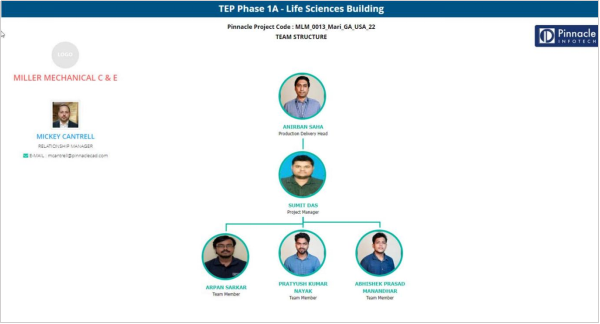
Team Declaration Module
Last updated: November 26, 2025
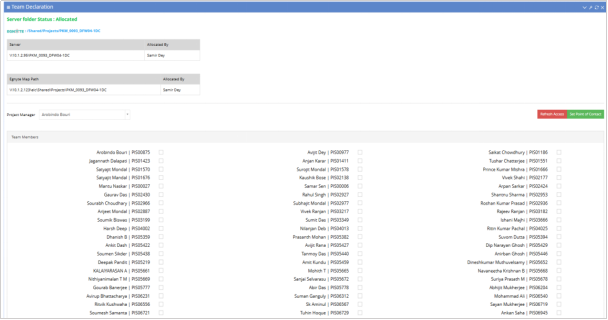
PDH has to declare team for every Project. Select the PM from the drop-down list and tag the team members by checking the check boxes. Only the declared members are available during activity assignment by Project Managers. Team structure chart will be generated as per the team declaration.
PDH has to check the check box to request to IT for folder allocation. An email intimation will be sent to IT along with the member details for folder permission.
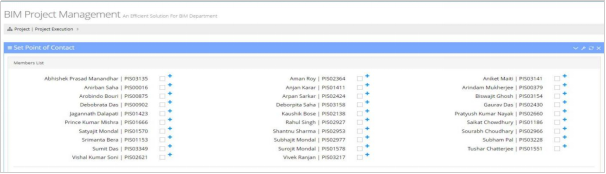
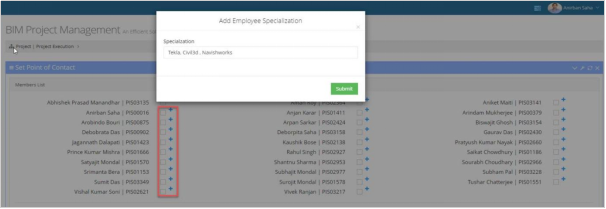
Click on “Set Point of Contact” option to set multiple member as point of contact. Click on “+” icon to add multiple specialization for a specific member.
Click on Client logo to upload the Client logo. Relationship manager details available as per the data filled by the Estimation team.