Bench Transfer Module
Last updated: November 27, 2025
This manual provides a comprehensive guide for managing bench resources, re-deployment
processes, and manpower requisitions within the organization. It outlines the steps for TM, PDH and
Functional Heads (FH) to effectively handle bench members. Additionally, it details the processes for
applying, approving, and tracking re-deployment applications to ensure smooth team operations
and optimal resource utilization.
Workflow:
1) PDH will request Functional Heads to transfer a member to bench.
2) PDH will fill a transfer form with performance rating, recommendation for redeployment and suggested training for skill development for the respective members.
3) FH will review the request and on approval the member will be transferred to Bench.
4) For additional manpower requirement PDH needs to fill a requisition form with details like total man power requirement & remarks.
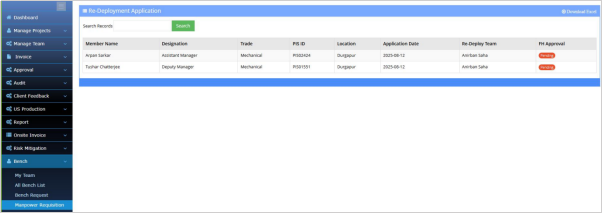
5) Bench members can apply on manpower requisition raised by PDHs to join the respective team.
6) FH will get all the application and can approve to redeploy the bench member to the production team.
7) FH can also redeploy any member from bench to any production team.
BPMS > PDH Account > Bench > My Team > Add Bench
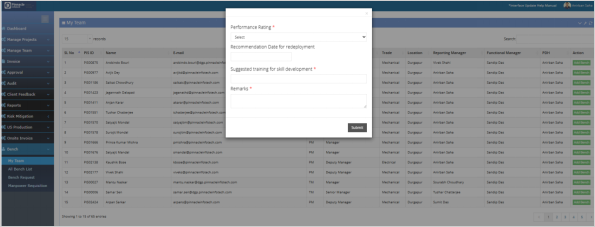
Before transferring employees to the bench, Managers must provide performance ratings for member, recommend redeployment date and suggested training for skill development if necessary. After submitting this data it will be available to Functional head account for review and approval. PDH can check the status for the requested bench member’s from “Bench Request” page.
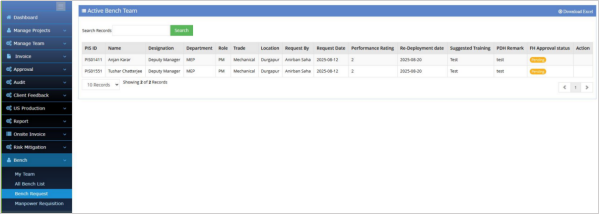
Once the Functional Head approves the bench request, the member will officially be added to the bench.
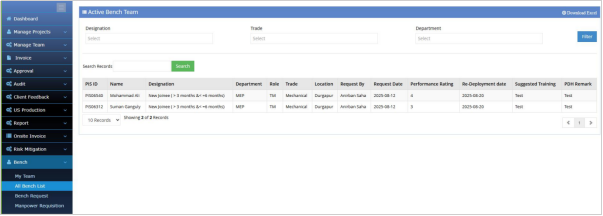
After approval, the member will be added to the "All Bench Members" page. This page provides a list of all bench members who are available and have been approved by the Functional Head.
Manpower Requisition (For PDH)
PDH can raise a manpower requisition if additional resources are needed. The PDH needs to fill in
details like the number of members required, status of requisition, and remarks. After filling out this
manpower requisition, it will be visible to all bench members, and they can raise a join request for it.
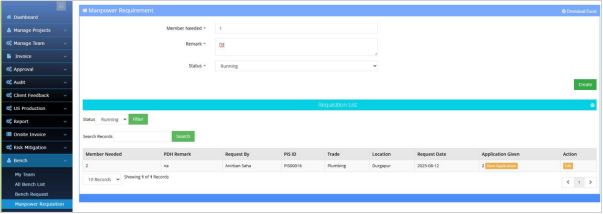
PDH can also check the list of applications applied by bench members by clicking on the 'View Application' button.