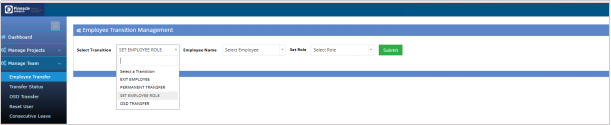
Permanent Resource Transfer & Set Employee Role
Last updated: November 27, 2025
The Permanent Resource Transfer module allows PDH to transfer members permanently to another PDH, while the Set Employee Role option enables assigning each member’s role as PM or TM within the team structure.
Permanent Resource Transfer Module:
BPMS >Manage Team > Employee Transfer
Select PDH from the dropdown list to permanently transfer the member to a PDH. PDH need to accept the member to include the member into the team.

Set Employee Role:
PDH Account > Manage Team > Employee Transfer
PDH can set the role of a member as PM or TM.