Project Planning
Last updated: November 26, 2025
BPMS >PDH Account > Manage Project > Project Planning
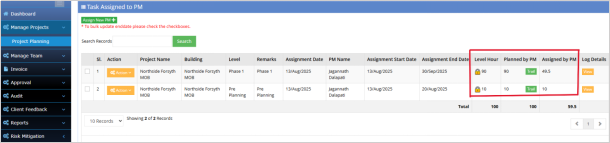
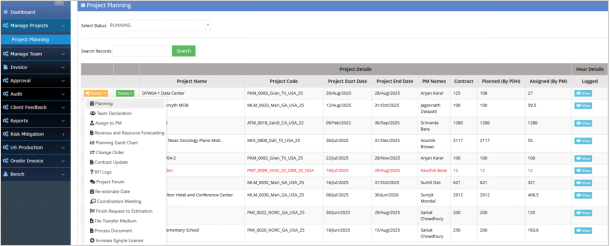
PDH can view all the Projects published by Estimation team with Contract hours, Start date, End date etc. Click on Action dropdown and select “Planning” to plan the Project.
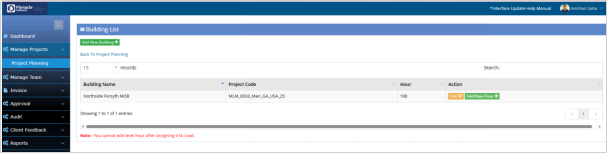
Click on “Add New Building” to create new Building with some specific hours. For a specific building, you can create or add multiple levels/floors by clicking on “Add/View Floor”, but not beyond the hours defined for that building.
After defining Building and Level, the PDH needs to assign the level/floor to PM.
The hour defined on a selected level/floor automatically filled and cannot be modified.
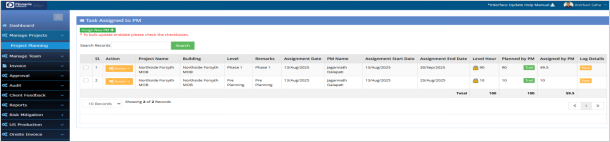
After assigning hour to PM it will show Building, Level, Billed hour, planned hour, PM names, etc.
The billed hour is locked and planned hour can be re-estimated by PM.