Change Order & Contract Update Module
Last updated: November 27, 2025
The Change Order and Contract Update modules allow PDH to request revised project hours and updated contract values by submitting additional hours, client-approved changes, and supporting documents to the Estimation team. Once approved, the revisions automatically reflect in the updated PAD sheet.
Change Order Module:
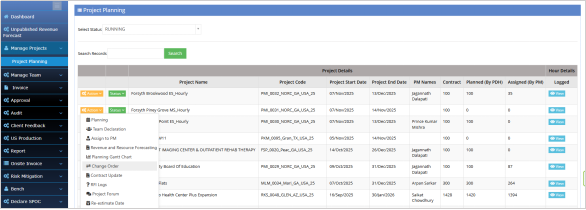
BPMS >Manage Project > Project Planning > Action Dropdown > Change Order
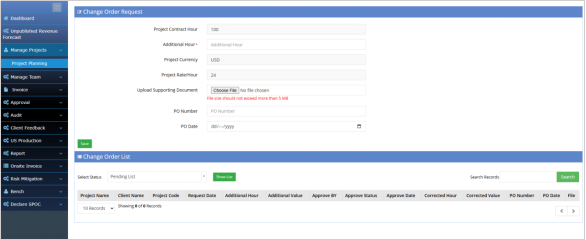
PDH can raise change order request to Estimation team for approval. In this case PDH has to fill the additional hours and Contract value of the Project as approved by Client. Once approved by Estimation team, It will reflect in the revised PAD sheet.
PDH can upload supporting documents for change order approval.
Contract Update:
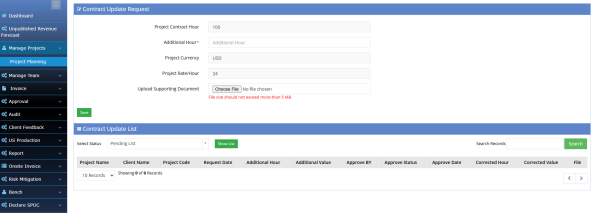
BPMS >Manage Project > Project Planning > Action Dropdown > Contract Update
PDH can raise contract update request to Estimation team for approval. In this case PDH has to fill the additional hours and Contract value of the Project as approved by Client along with the supporting documents. Once approved by Estimation team, It will reflect in the revised PAD sheet.