Work From Home Module
Last updated: December 22, 2025
The Work From Home (WFH) module is designed to manage system requirements, verify eligibility, and process requests. Once a request is submitted, it is reviewed and approved by the Reporting Manager. Upon approval, the IT team takes the necessary steps to ensure the required system configurations are in place, allowing the member to work remotely without any interruptions.
Workflow:
1) The member will fill in the system requirements for Work From Home (WFH) through BPMS.
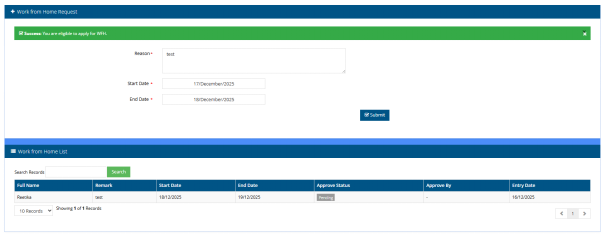
2) The member can submit a Work From Home request via BPMS. The system will check the eligibility based on the established policy and allow submission if the member meets the criteria.
3) The Reporting Manager will receive the request and approve or reject it.
4) IT will receive the approved request and review the system requirements for further action.
TM / PM Account > WFH > Apply WFH
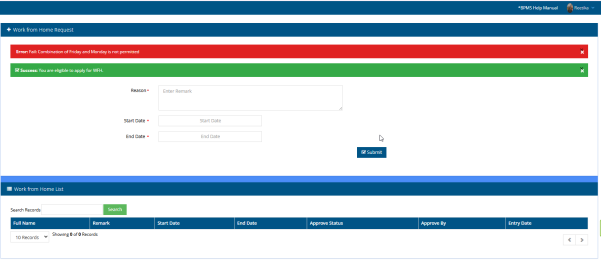
Using this option user can apply for work from home and after submission it will check the criteria as per the set policy.
BPMS > WFH > Approve WFH
Using this option Reporting Manager can get the request , review and approve or reject the request.

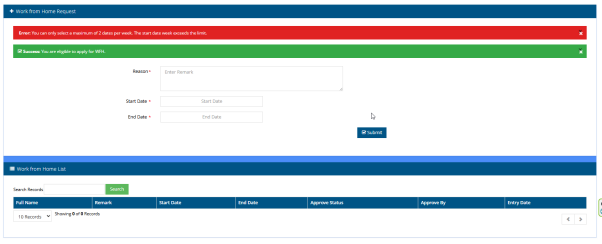
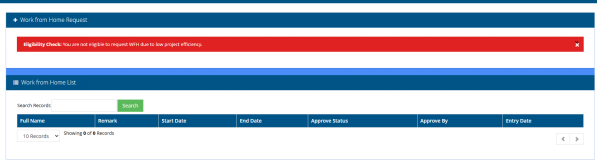
The below snaps shows the messages user can get as per the set policy and conditions. For example System will check the total number of WFH request for a week or Project low efficiency.
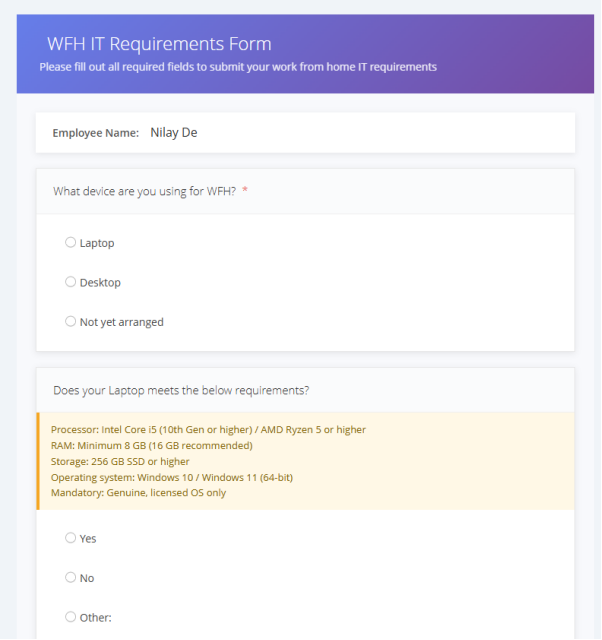
BPMS > WFH > System Requirements
Member can fill the System requirements necessary for WFH which will be verified by IT.
IT Account
BPMS > WFH > WFH Request
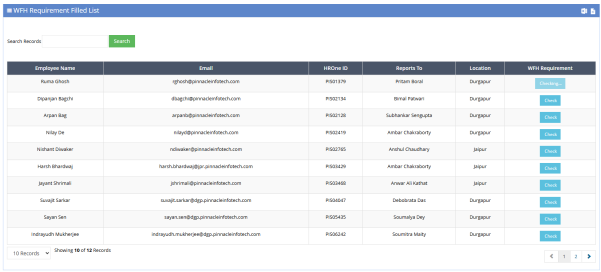
IT will get the list of Approved WFH request and check the System requirement by clicking the ‘Check’ button.

BPMS > WFH > System Requirements
It can get the list of System requirements filled by Employees and check the details.
Reports & Dashboard
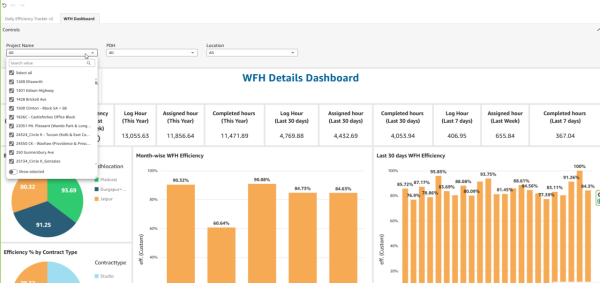
PDH, FH & PCH can check the details of BIM Members WFH status from WFH dashboard as per the below snap. It shows the member details with WFH duration and associated Project information.

Also the WFH dashboard shows the efficiency of WFH employees with multiple KPIs and filters.