Specification Check-List MEP
Last updated: November 27, 2025
The primary objective of specification checklist module is to digitize all the excel based Specification checklist and incorporate in BPMS PM module where the Spec sheet will be created for every Project by PMs and replacing the existing manual excel work.
Also, based on the parameter and value filled by PM for any specific checklist , the system generates rules based on a standard that is applicable for that Model of the Project. These rules could be fed to Revit for QA and validation purposes.
BPMS > PM Account > Specification Checklist
PM can view and create new specification checklist for any specific Project.
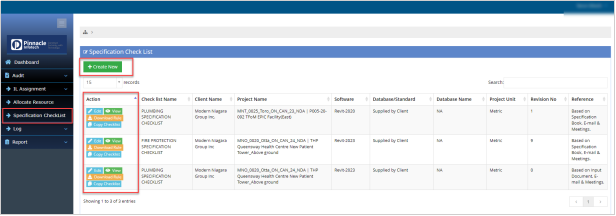
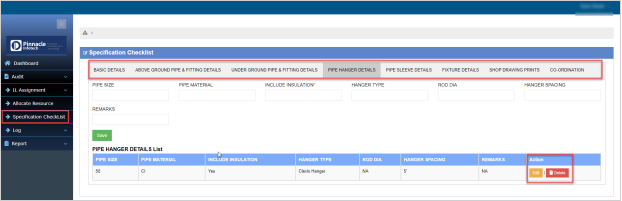
Click on “Create New” button to create new checklist. In this page there are multiple tabs containing different fields. PM can insert or update the data as per their requirement.
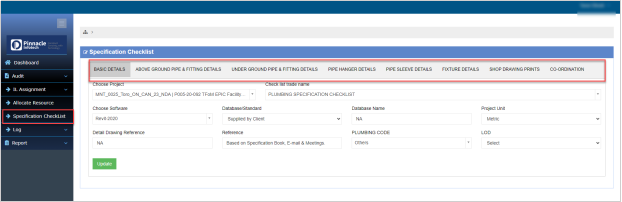
From the data list user can update or delete the record as well.
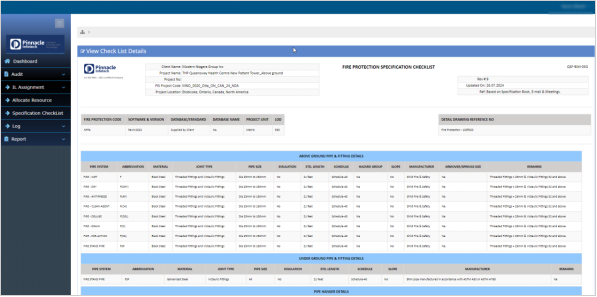
From specification checklist, click on “View” button to get the detail view of the checklist. User can take the print of the filled checklist from this page.

User can copy a checklist from the existing checklist for any Project. It will save time to fill the same data for similar kind of checklist.
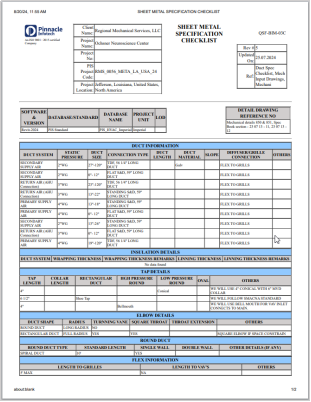
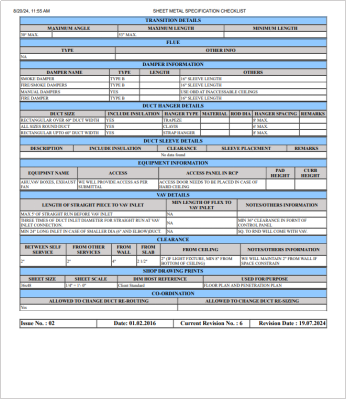
The checklist will be printed as per the below format.